Saturday, December 20, 2025

Digital Signature vs eSign Signature: What’s the Difference?


With the digital revolution, signing documents online has become a necessity for businesses, professionals and individuals. Now, in this arena we generally hear these two terms a lot - Digital Signature & eSign (Electronic Signature). Even if people use them interchangeably, the two are not synonymous.

Difference between Digital Signature and eSignature, legal validity in India, use cases & which one to go for This is a blog explaining addition of key differences in digital signature Vs eSignature validity in India use case where one can use what.

What Is a Digital Signature?

Digital Signatures - A digital signature is cryptographically secure and verifies that signer is who they say they are. It is signed by a Certifying Authority (CA) and it proves the identity of the signer.

Digital Signature vs eSign Signature: What’s the Difference?


Digital signatures ensure:

Authentication of the signer
Integrity of the document
Absence Of Reparability (the signer cannot deny signing)

In India, Digital Signatures are now regulated under the Information Technology Act 2000 and have become very common for both government as well as statutory filings.

Common Use Cases

  • MCA filings
  • Income tax returns
  • GST filings
  • Tender submissions
  • Legal and compliance documents

eSign (Electronic Signature) Explained

An eSign actually makes it simpler and faster to sign documents electronically. It is designed to provide users with the ability to digitally sign documents using Aadhaar-based authentication, OTP (one-time password) verification or biometric validation -- without deploying a physical USB token.

Legally valid eSignatures for quick approvals and everyday business documents.

Common Use Cases

  • Agreements and contracts
  • HR onboarding documents
  • Bank and NBFC forms
  • Consent letters
  • Business approvals

Digital Signature vs eSign: What is the Difference?

Feature

Digital Signature

eSign Signature

Technology

    PKI-based encryption

    Aadhaar/OTP-based

Hardware Required

    Yes (USB token)

    No

Level of Security

    Very high

    High

Legal Validity

   Yes (IT Act, 2000)

    Yes (IT Act, 2000)

Best For

   Government & compliance filings

    Everyday business documents

Ease of Use              

   Moderate

    Very easy

Cost

   Higher

    Affordable

Are Digital Signatures and eSignatures valid in India?

Yes. Digital and signatures are legally valid in India according to Information Technology Act 2000 script. They are accepted by:

  • Government departments
  • Courts
  • Banks and financial institutions
  • Private organizations

Which One Should You Choose?

Choose a Digital Signature if:

  • You are required to file statutory or governmental forms
  • High level of security and compliance needed

Choose an eSign if:

  • You desire a quick, paperless signing of the documents
  • No hardware dependency is preferred
  • You work with lots of business or HR docs

Benefits of going Digital and eSign Signature

  • 100% paperless process
  • Faster document approval
  • Secure and tamper-proof
  • Cost and time efficient
  • Environment-friendly

Final Thoughts

Digital Signature vs. eSignature — Though both are used for signing documents online, they have different use cases. Knowing the difference enables you to select the appropriate solution for your security level, compliance needs and desired ease of use.

Adopting digital processes saves time and money, and it also enhances efficiency and trust in the fast-paced profit-making environment of today.

Wednesday, November 26, 2025

Class 3 Digital Signature Certificate – A Complete Beginner’s Guide


In the digital age, trust and security are more important than ever — particularly at a time when mostofficial work has moved online. If you file GST, e-file Income Tax returns, lodge documents on government websites or participate in e-tendering: You need a safeway to prove who you are.
This is where a Class 3Digital Signature Certificate (DSC) plays its part.

A Class 3 DSC operates as the online version of your handwritten signature, only withfar more security. It verifies that theperson who signs a document is legitimate and that any information included as part of the signature has not changed.


What Is Class 3 Digital Signature Certificate?

Class 3 DSC isthe most secure type in India. Licit under IT Act, 2000 All major e-gov applications and systemssupport this PKI.
This digital signature can be used to sign documents, log in to your portal and use theonline services of the tax authorities without having to consider any form of tampering or abuse.

Why You Need Class 3 DSC

Since its verification is
very rigorous and it can be used everywhere, the majority of experts and companies choose this certificate. Some key reasons include:

Mandatory fore-tender and tendering
Compulsory for GST and Income Taxe-filing
Used ortrademark and MCA (ROC) filing
Authenticates signers when signing PDFs, forms, andagreement
Guard against fraudand data theft

But if you have to do with government portals a lot or need to handle confidential documents, this certificate will save
much time and efforts.

Where Is Class 3 DSC Used?


In many onlinesystems, you are likely to find Class 3 DSC.

 Government Portals
 GST Portal
Income Tax Portal
ICEGATE
DGFT
EPFO
Gem Portal
MCA21 (Ministry of Corporate Affairs)


2. Business & Legal Work
Signing invoices
Tender submissions
Filing annual returns
Banking and financial authentication

3. Document Signing
PDFs
Agreements
Contracts
Certificates

In all the places
where digital trust is needed, a Class 3 DSC is an ideal solution.

Who Is Eligible to Apply for a Class 3 DSC?

All the people whoare working officially or online can apply:

Individuals

Professionals (CA, CS, Lawyers, Consultants)

Companies & Organizations

Directors / Partners

Non-resident
participants in Indian deals

The process of the application is easy and completely
online.

How to Get Class 3 DSC?

Here is the basic how-toprocess:

Step 1: Select a
CA that You Trust
Approved authorities are e-Mudhra,
V-sign, Capricorn, CSC, etc.

Step 2: Fill the Online Form
Provide name, email, phone
number and details for the ID.

Step 3: Video KYC / Aadhaar OTP
Once you are done with the details, you will be redirected to complete your online video KYC.
This way, your identity isestablished almost instantaneously.

Step 4: Make the Payment
Fees are basedon validity and kind of token (normally 1-2 years).

Step 5: Download Your DSC
You will receive your certificate in a USBtoken or as a cloud-based signature.

That’s all thereis to it—your DSC is now ready for use.

Advantages of Class 3 DSC

A Class 3 DSC not
only provides superior security but also greater workflow efficiency:
🔒Strong data privacy with high-mass encryption
📄 Legally valid e-signatures
Faster document processing
💼 Government& Corporate trusted
💻 Allows for remote and paperlessworking

Validity and Renewal

Class
3 DSCs are generally available for 1, 2, or 3 years. You may renew it by simply providing the same KYCdetails online after your certificate has expired.

Final Thoughts

A Class 3 Digital Signature Certificate has now become an integral part of the requirement for anyone who is
a heavy user of e-commerce and does transactions regularly. Amid increasing cyber threats and ubiquitous online governance, a secure digitalidentity is no longer an option—it’s imperative.

If you sign documents, file returns, or interact withthe government on a regular basis, Class 3 DSC can help make your work safer, faster, and more consistent.

Thursday, April 3, 2025

Digital signatures for tender : Creating and using


Digital signatures for tender : Creating and using

introduction

In the modern age of digitalization, government and private tender  requires a secure, legally valid authentication method. Digital signatures ensure the credibility and consistency of documents submitted in online bidding. This article examines the importance of digital signatures for tender , the process of creating them, and answers the most frequently asked questions.

What is a digital signature?
A digital signature is an encrypted digital signature that ensures the reliability and integrity of a digital document. It is issued by the Accreditation Authority (CA) and is legally recognized as part of India's Information Technology Act 2000 and similar laws around the world.

The importance of digital signatures for tender

Legally valid: Guaranteed compliance with tender regulations.

Secure authentication: Prevents unauthorized access and fraud.

Integrity Protection: Make sure the document has not been modified.

Efficiency: Reduce documents and accelerate the bidding process. Types of digital signatures used in tender .


There are many different types of digital signing certificates (DSCs) used in trends.

Class 3 DSC:
Used for e-Tendering, e-Procurement and online contracts. Provides the best security and authentication.

DSC Class 2: Previously, it was replaced by Class 3 DSC for bidding.

Steps to create a digital signature for your bid . Follow these simple steps to obtain a digitally signed certificate to submit your bid.

Step 1: Select a certification authority (approx.)


Select government-approved Certification Authorities (CAs) such as EMUDHRA , VIGN and SIFY  

Step 2: Select the corresponding DSC type

For e-tendency, if you are applying in the company's name, please select Class 3 DSC with the organization name.

 Step 3: Send the required documents

The following documentation is required for the DSC application:

Applicant/Company Bread Card

Aadhaar card or passport

Proof of address

Customer registration certificate (if applicable)

Step 4: Complete your background check

Reviews can be performed.

Online video check

Physics Review (for CA)

Step 5: Download and install DSC

Once approved, download the digitally signed certificate and install it on your computer or USB token.

How to use digital signatures to tender submission .

Register for e-tendering portals: Register for each government/private e-tender portal.

Upload a digital signature: Install DSC on your computer and upload it to the portal.

Digital Documents: Digitally sign documents using DSC-enabled software such as Adobe Acrobat and the DSC Signer Tool.

Send your announcement online: Check all details after signing and submit your bid before the deadline. Frequently asked questions (FAQ) 

Digital signatures for tender


1. Is a digital signature required to tender submission .

Yes, Class 3 digital signatures are essential for most e-tendering processes to ensure security and reliability.

2. How long does it take to get a digitally signed certificate?

 It usually takes 1-3 business days after the required documents are submitted and confirmation has been made.

3. Can someone apply for an offer to DSC?
Yes, individuals and businesses can apply for Class 3 DSC and participate in the electronic end.

4. What is the validity of a digitally signed certificate?
DSCs are usually valid for 1-3 years and must be renewed.

5. What happens if the DSC is run during an ongoing bidding procedure?
You must renew your DSC before it expires. DSC expiration dates cannot be used to use Tend.

6. Can I use the same DSC for several bids?
Yes, DSC can be used for several offers as long as it is linked to a valid and registered organization or individual.

7. What if DSC is not recognized by the e-tender portal?
Make sure that the DSC driver and Java settings are properly configured on your system. Also, please contact us for instructions from the bidding portal support team.

Conclusion

Digital signatures for tender  are essential equipment for secure, legally compliant bidding. By obtaining a digitally signed certificate in Class 3, businesses and individuals can participate seamlessly in that trend.

 Follow the steps provided in this manual to effectively create, install and use digital signatures in the following application applications:

Portal You can always find further questions about each of the portal  guidelines or contact the accredited bodies (approx.) for assistance.

Thursday, March 13, 2025

How to Renew a Digital Signature Certificate: All Process


How to Renew a Digital Signature Certificate: All Process

Digital signatures are a certificate for businesses and professionals who must securely sign documents online. However, like all certificates, digital signatures have an expiration date. Usually, it is 1-3 years after the exhibition. Digital signature updates are important to maintain seamless transactions and compliance with legal requirements. This guide will guide you to updating your digital signature through a step-by-step process.

Why Renew Your Digital Signature?

Digital signature updates ensure uninterrupted access to secure online transactions, including tax returns electricity delivery, e-tendency and other digital authentication processes. If it cannot be updated in time, this can lead to delays and complications in official documents.

Renew a Digital Signature Certificate: All Process


Steps to Renew Your Digital Signature

Step 1: Check the Expiry Date

The first step in updating a digital signature is to verify its validity. You can find the expiration date in the DSC management tool,  the certificate itself, or  the issuing authority portal.

Step 2: Choose a Certified Authority (CA) for Renewal

The digital signature must be renewed by an authorized certificate authority (approx.) approved by the Administrator of the Accredited Authority (CCA) of India. Some popular CAs is  eMudhra,  Sify      and Capricorn.

Step 3: Prepare Required Documents

To update your DSC, you must submit important documents such as:

  • A self-attested copy of your PAN card
  • A self-attested copy of your address proof
  • Passport-sized photograph (if required)
  • Renewal application form

Step 4: Apply for Renewal Online

Most certification authorities offer an online renewal process. Visit the our website Digital Signature agency  website and go to the DSC Updates section. Fill in the required details and upload the required documents.

Step 5: Payment of Renewal Fee

Pay the applicable extension fee. This depends on the duration of effectiveness (1, 2, or 3 years) and the type of DSC (class 3, DGFT, etc.). You can usually make payments via online banking, credit/debit cards, or UPI.

Step 6: Identity Verification Process

Depending on your CA, you may need to perform a video check or submit an Aadhaar-based e-KYC ,  before editing the update requirements.

Step 7: Download and Install the updated DSC

As soon as your update request is approved, you will receive an email with a DSC download. You will need to install the updated DSC in your USB token or digital signature management software and use it again.

Renew a Digital Signature Certificate: All Process


Frequently Asked Questions (FAQs)

Q1: Can I renew my DSC before it expires?
Yes, you can extend the digital signature before the process to avoid the last minute problem.

Q2: How long does the renewal process take?
The update process usually takes about 1-3 business days.

Q3: Do I need to submit physical documents for renewal?
Most renovations are processed digitally, but some CAs can request and view physical documents.

Conclusion

Renewal Digital Signature are a simple yet essential process for ensuring seamless digital transactions. Follow the steps above to quickly expand your DSC and continue using it without interruption. If you need help with the update process, contact your Digital Signature Agency to get  problem-free experience.

Saturday, May 18, 2024

                                         Digital Signature Online In Delhi

What is a Digital Signature Certificate?


Digital Signature Certificates (DSC) are the digital equivalent  of physical or paper certificates. Examples of physical certificates are drivers' licenses, passports or membership cards. Certificates serve as a proof of identity of an individual for a certain purpose; for example, a driver's license identifies someone who can legally drive in a particular country. Likewise, a digital certificate can be presented electronically to prove your identity, to access information or services on the Internet or to sign certain documents digitally

.

Why is Digital Signature Certificate (DSC) required?

Like physical documents are signed manually, electronic documents, for example e-forms are required to be signed digitally using a Digital Signature Certificate. Transactions that are done using Internet if signed using a Digital Signature certicate becomes legally valid.


Who issues the Digital Signature Certificate?

A licensed Certifying Authority (CA) issues the digital signature. Certifying Authority (CA) means a person who has been granted a license to issue a digital signature certificate under Section 24 of the Indian IT-Act 2000.


What type of Digital Signature Certificate (DSC) is to be obtained for eSigning and Authentication on the eTendering Portal?

DSC of Class 3 category issued by a licensed Certifying Authority (CA) needs to be obtained for e-filing on the e-Tendering Portal. Class 3 DSC is the highest level where the person needs to present himself or herself in front of a Registration Authority (RA) and prove his/ her identity.


What are the legal status of a Digital Signature?

Digital Signatures are legally admissible in a Court of Law, as provided under the provisions of IT Act.

The Information Technology Act, 2000 provides the legislative backup to the digital signatures based on asymmetric cryptosystems.

Office of Controller of Certifying Authorities (CCA) is the Regulatory Authority in India that regulates issue and sues Certificate only to Certifying Authorities(CAs). Information Technology Act has established the Controller of Certifying Authorities(CCA) to license and regulate the working of Certifying Authorities. The Certifying Authorities (CAs) issue digital signature certificates for electronic authentication of users.

The Controller of Certifying Authorities (CCA) has established the Root Certifying Authority (RCAI) of India under the IT Act to digitally sign the public keys of Certifying Authorities (CA) in the country. The CCA certifies the public keys of CAs using its own private key, which enables users in the cyberspace to verify that a given certificate is issued by a licensed CA. The CCA also maintains the Repository of Digital Certificates, which contains all the certificates issued to the CAs in the country.


What Documents Required for DSC Registration Online?

Below is the category wise list of documents required for obtaining Online Digital Signature Certificate:

Individuals: To apply for a DSC online in India, individuals must provide documents such as PAN card, proof of identity like driver's license and address verification (e.g., Aadhar card).

Organizations: Indian organizations must provide documents like PAN card for the company, the original partnership deed (if applicable), and proof of authorized signatories. Requirements may vary based on the type of entity.

Foreign Persons and Organizations: Foreign applicants require documents such as a passport, copy of visa and residence permit certificate (if in India), and government-issued address proof.


Digital Signature vs Electronic Signature

Electronic signatures, commonly referred to as e-signatures, are a broad set of solutions that use an electronic process for accepting a document or transaction with a signature. As documents and communication are increasingly paperless, businesses and consumers worldwide have embraced the speed and convenience of these types of signatures. But there are many different types of electronic signatures, each allowing users to sign documents digitally and offering some degree of identity authentication.
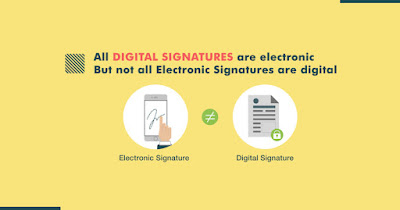
Digital signatures are one of those electronic signature technologies and are the most secure type available. Digital signatures use PKI certificates from a Certificate Authority (CA), a type of Trust Service Provider, to ensure identity authentication and document integrity by encrypted binding of the signature to the document. Other, less secure e-signature types may use common electronic authentication methods to verify the signer’s identity, such as an email address, a corporate username/ID, or a phone number or PIN.


How Do Digital Signatures Work?


Digital signatures use public key infrastructure (PKI), which is considered the top most standard for digital identity authentication and encryption. PKI relies upon the use of two related keys, a public key and a private key, that together create a key pair to encrypt and decrypt a message using strong public key cryptography algorithms. Using both public and private keys that are generated using a mathematical algorithm to provide the signer with their own digital identity, a digital signature is generated and encrypted using that signer’s private key, and also a timestamp of when the document was signed using the key.

The process to create a digital signature is easy and straightforward for the average user and for enterprises to adopt. You first need a digital signing certificate, which can be acquired through a trusted Certificate Authority like Capricorn. After downloading and installing the certificate, you simply use the digital signing function of the appropriate document platform or application. For example, most email applications provide a “Digitally Sign” button to digitally sign your emails. 


Digital signature technology requires all involved parties to trust that the individual creating the signature has been able to keep their own private key secret. If someone else has access to the signer's private key, that party could create fraudulent digital signatures in the name of the private key holder.

What happens if either the sender or receiver change the file after it has been digitally signed? As the hash value for the file is unique, any change to the file creates a different hash value. As a result, when the receiver’s computer compares the hash to validate the integrity of the data, the difference in the hash values would reveal the file had been altered. Thus, the digital signature would be shown as invalid.

 Why Are They Important?

As more business is conducted online, agreements and transactions that were once signed on paper and delivered physically are now being replaced with fully digital documents and workflows. whenever valuable or sensitive data is shared, malicious person who want to steal or manipulate that information for their own gain are ever-present. Businesses must be able to verify and authenticate that these critical business documents, data, and communications are trusted and delivered securely to reduce the risk of document tampering by malicious parties.

In addition, the signature is portable as it is incorporated in the file itself, wherever it is transmitted and on whatever device. Digitally signed documents are also easy to control and keep track of by providing the status of all documents, identifying whether or not they’ve been signed, and viewing an audit trail.


Buy Digital Signature Cerificate from 99 digital signature in Delhi at very low price. We are the best dsc provider in delhi. we have quite long experience in dsc services, This gives us diverse experience in meeting people of different designations in different industries. by availing dsc you can initiate participation in government e-tendering, e-auction, e-bidding, irctc tender, ITR, GST, New Company Registration, Foreign Trade, Provident fund, etc. in corporate world dsc are essential for signing contracts, agreements, financial transactions, Digital signature help individual establish trust in online interactions with the governments and organizations. it is very safe and secure due to its encryption technique . no data or documents could be tampered or forged. contact us today and get your digital signature right away to your doorstep.


Digital Signature vs eSign Signature: What’s the Difference?

  With the digital revolution, signing documents online has become a necessity for businesses, professionals and individuals. Now, in this a...